
Writing Clear Prompts for 3D Models
Use a practical prompt structure for subject, material, pose, style, and viewpoint, with concrete weak and strong examples.
A clear 3D prompt describes one subject, its material, pose or arrangement, visual style, and viewpoint. This structure gives the generator concrete information about shape and appearance while keeping the request focused on one coherent object.
Use a copyable prompt structure
What is a reliable prompt formula?
Copy this structure and replace each bracketed phrase:
Example:
| Prompt part | What to specify | Example phrase |
|---|---|---|
| Subject | Name one object and its defining shape or parts. | A compact delivery robot with a boxy body and two large wheels |
| Material | State the visible surface material. | Brushed aluminum with black rubber tires |
| Pose | Describe posture, orientation, or part arrangement. | Standing upright with both arms relaxed at its sides |
| Style | Name a consistent visual treatment. | Hand-painted fantasy game prop |
| Viewpoint | State the camera view that should guide the form. | Three-quarter front view from slightly above |
| Text field | Limit |
|---|---|
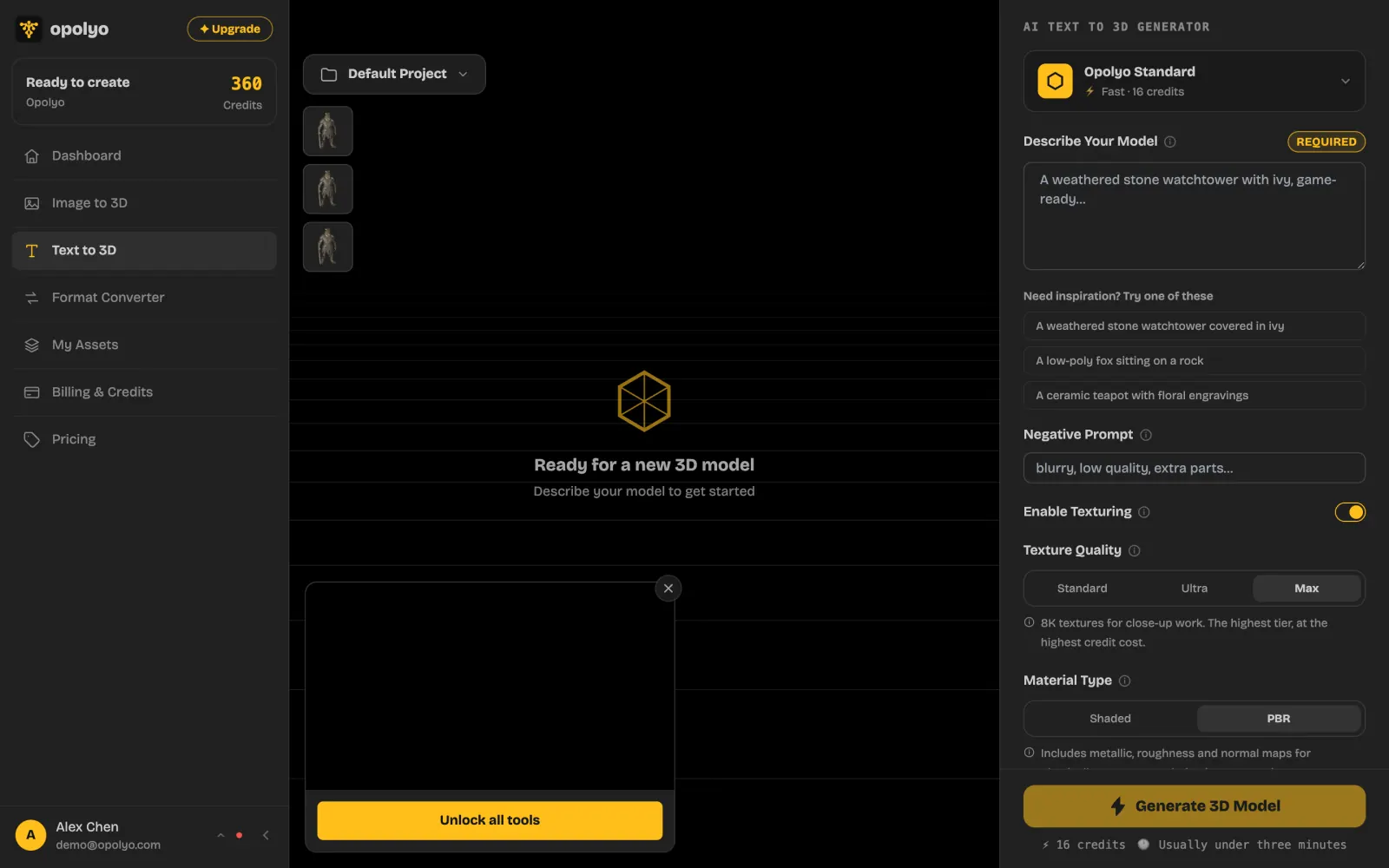
| Describe Your Model | 2000 characters |
| Negative Prompt | 255 characters |
The structure does not need to fill the full limit. Include only details that help define the object.
Compare weak and strong prompts
What makes a prompt more specific?
A weak prompt names a broad category. A strong prompt identifies the object and adds visible information that can affect the model.
| Weak prompt | Strong prompt |
|---|---|
chair | A low lounge chair with a wide curved back, dark green velvet upholstery, four short walnut legs, mid-century furniture style, three-quarter front view |
robot | A compact maintenance robot with a cylindrical steel body, two articulated arms folded at its sides, worn industrial paint, grounded science fiction style, front view from slightly above |
dragon statue | A small carved jade dragon statue, coiled around a round stone base with wings folded, traditional ornamental style, three-quarter left view |
treasure chest | A squat oak treasure chest with iron bands, lid closed and handles flat against the sides, hand-painted fantasy game prop, three-quarter front view |
running shoe | A lightweight running shoe with a white mesh upper, thick blue foam sole, laces tied and tongue upright, clean product visualization, side view |
How should the details be ordered?
Put the subject first, then add the details that shape it. Material and pose usually affect visible form more directly than mood words. End with style and viewpoint so the full prompt reads as one consistent object description.
How many objects should one prompt contain?
Use one main object per prompt. If an accessory is structurally part of that object, describe how it connects. Avoid separate scene elements that compete with the main silhouette.
Describe each part clearly
How should material be described?
Use a specific material when surface appearance matters. Prefer glazed ceramic, brushed aluminum, rough sandstone, or dark green velvet over a general word such as nice or realistic.
How should pose or arrangement be described?
State where major parts are and how the subject is oriented. For a character, describe standing, sitting, crouching, or another clear pose. For a product, describe whether lids, doors, handles, or other movable parts are open, closed, raised, or folded.
How should style be described?
Choose one compatible style, such as clean industrial concept, hand-painted fantasy game prop, stylized low-poly asset, or realistic product visualization. Too many unrelated style labels can pull the result in different directions.
How should viewpoint be described?
Use a direct camera phrase such as front view, side view, three-quarter left view, or view from slightly above. A three-quarter viewpoint reveals two sides and often provides more shape information than a straight front view.
Refine prompts methodically
What should change after a weak result?
Identify the largest mismatch, then revise one category. If the silhouette is wrong, clarify the subject or pose. If the surface is wrong, specify the material. If the model faces the wrong direction, make the viewpoint explicit.
Use Negative Prompt for recurring unwanted qualities or parts, such as blurry, extra parts, text. Keep the desired object in the main prompt and exclusions in the negative prompt.