
Best AI 3D Model Generators in 2026: 9 Tools Compared
Pick the generator by the job waiting after the preview: print it, texture it, put it in a game, or run the model on your own GPU.
You want a generator, not a definition. You may have one product photo, a character concept, a text prompt, or a machine with enough GPU memory for an open model. The right choice changes with the input and the file you need at the end.
This list covers nine tools across those jobs. You will see one-photo reconstruction, text to 3D, printing exports, game asset workflows, texture generation, multi-view input and local open weights. The chart keeps the starting monthly prices in one place, with usage and annual plans marked clearly.
Opolyo is first for one photo to a printable or textured model. Meshy follows for texturing, plugins and rigging. Tripo is strong for segmentation and multi-view game assets, while Hunyuan 3D and Trellis suit people who want to run open weights on their own GPU.
What an AI 3D Model Generator Does
An AI 3D model generator takes an image or a prompt and returns a mesh. Many tools add textures during the same run, and a browser preview lets you turn the result before you download it. The work can take minutes, so you can test a few references without building the shape vertex by vertex.
The input controls the evidence available to the model. A single image shows one silhouette and one set of visible surfaces. A text prompt describes an idea without showing a real object. Multi-view input gives more shape information, while a local model gives you control over the pipeline and its hardware cost.
A generated mesh is useful in several destinations. You can take a closed triangle result into a slicer, a textured GLB into a real-time scene, or a quad asset into a modeling package. You still need to inspect scale, hidden surfaces, topology, materials and licence terms before the asset enters a real project.
This is not CAD. CAD starts from explicit dimensions and constraints, so it remains the better route for a bracket, a part that mates with another part, or a shape that must carry a measured load. It is also not photogrammetry. A one-image tool infers the unseen geometry from the visible reference. Photogrammetry measures a complete object from many views.
The word model covers several different things in this workflow. A preview may show a high-detail surface, while the downloaded asset contains a mesh, a material assignment and one or more texture images. A print workflow may keep the mesh and discard colour. A game workflow may keep the colour and replace the topology during optimization.
You can save time by deciding which of those pieces you actually need. If the result will become a painted resin print, texture quality may matter less than a clean silhouette and a closed volume. If the result will sit close to a game camera, material maps and a manageable face count may matter more than a large triangle budget.
Treat the generator as the first modeling pass. Name the source image or prompt, note the settings, keep the original download and make edits in a tool that suits the destination. This small record helps you reproduce a useful result when you need a second size, a new texture tier or a different topology.
Image to 3D vs Text to 3D Model
Image to 3D starts with a visual identity. You can upload a photo, drawing, screenshot or product render, and the generator tries to carry its shape into a full mesh. The visible contour carries most of the information the generator uses.
Text to 3D starts with an instruction. You describe the object, style, material or use, then judge whether the generated form matches the idea. Text is convenient for concepts and variations. It leaves more decisions to the model because the prompt does not contain a measured silhouette or a known hidden side.
Use image input when a particular object needs to remain recognisable. Use text input when you want a new prop, creature or scene idea. Some tools offer both paths, while a few are more useful for imported meshes, editing, templates or local pipelines than for either first-pass route.
What AI Generated 3D Models Look Like
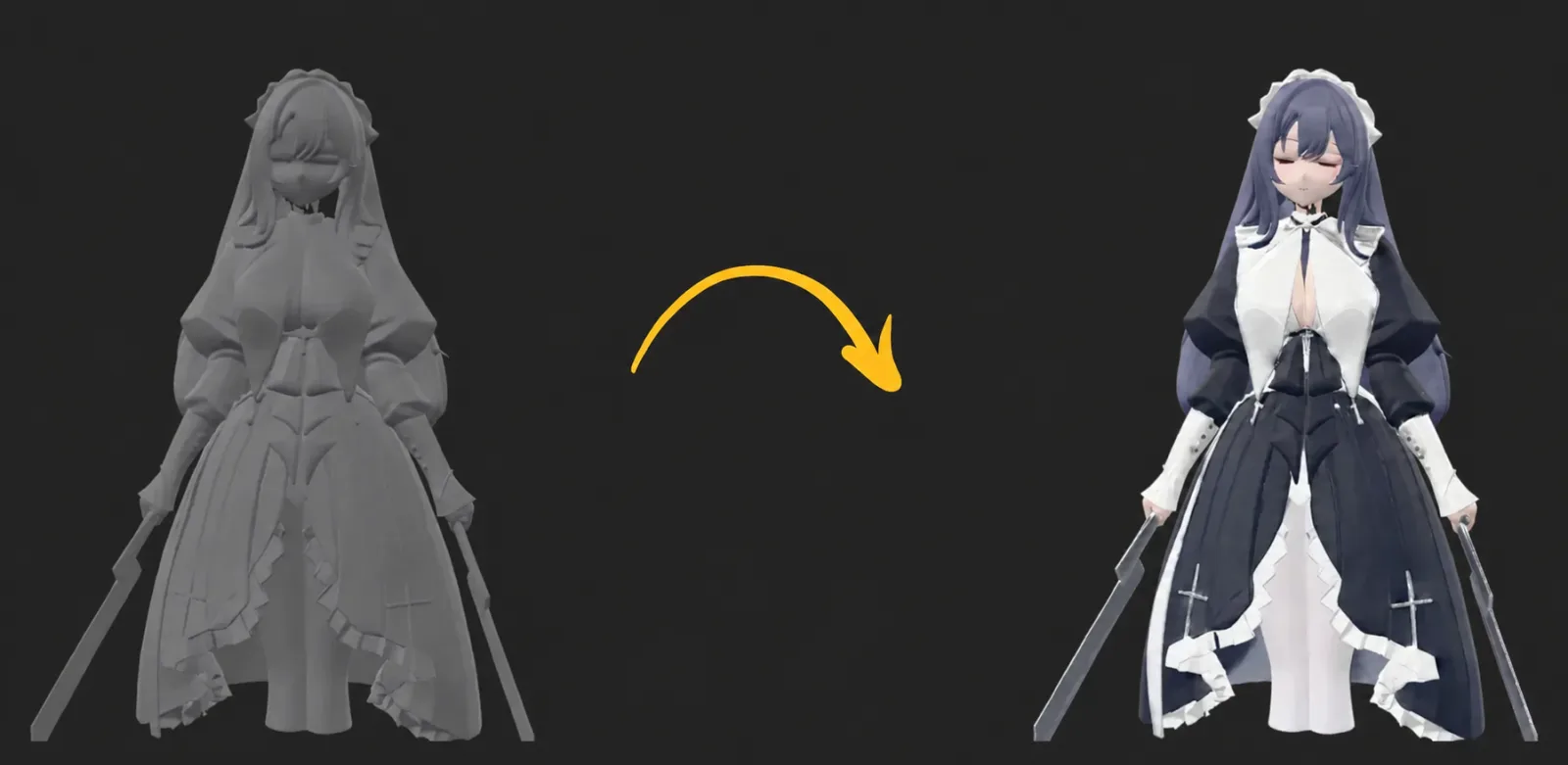
A generated model usually has two layers of interest. The mesh controls the shape, silhouette, holes and polygon structure. The texture supplies colour and surface detail. A good render can hide a weak back or a topology problem, so rotate the model and inspect the bare geometry as well as the shaded result.
Single-image results are clearest on subjects with one visible object and a distinct outline. Small parts, thin handles and hidden mechanisms are harder because the reference does not show enough evidence. A three-quarter view gives the generator more visible side information, yet the rear can still be an inference.
The output can look ready before it is ready for your destination. A print needs a closed volume, sensible scale and a slicer check. A game asset needs useful topology, material maps, a manageable face count and any rigging or animation work your engine requires. A product scene needs the important surfaces to be accurate from the camera angles that matter.
Can ChatGPT or Gemini Generate 3D Models?
ChatGPT and Gemini can help you describe a model, plan its dimensions, or write code for OpenSCAD and Python in Blender. That code can be opened in a modeling application and turned into geometry. The chat response itself does not output a finished mesh in the same way as a dedicated 3D generator.
A dedicated generator accepts an image or text prompt and returns a mesh file. That distinction matters when you need GLB, FBX, OBJ or STL immediately. A chat assistant is useful for a parametric shape, a repeatable script or a cleanup plan, while a 3D model generator is useful for inferred organic form and texture.
You can combine the two routes. Ask a chat assistant for a measured OpenSCAD part, or use a dedicated generator for a picture-based figure and then use code or Blender for a cut, a base or a fit. Check the resulting geometry in the destination either way.
How We Compared These 3D Model Generators
The useful question is what each tool lets you do with the output. We compared the input route, the exported file, the cost shape, the print path, the controls exposed before generation and the licence attached to the work. Those details separate a quick concept preview from an asset you can actually ship.
You should also compare the point where each tool stops. One tool may create the mesh and texture, another may split parts for a printer, and another may carry the asset through rigging, animation or an engine plugin. A narrow workflow can be a strength when it removes decisions from a simple job.
Input deserves a close look because the same phrase can describe different workflows. One image may be accepted for an initial generation, while multi-view may be reserved for a paid tier. A text prompt may create a new object, while a texturing route may require an existing mesh. We keep those paths separate in the entries below.
Formats also need context. GLB is useful for a textured asset that should travel as one file, FBX is common when a quad mesh needs to enter a DCC or engine, and STL is a geometry path for a slicer. The presence of a format in a download menu does not remove the need to inspect units, normals, materials or topology after import.
Price is recorded as the first meaningful paid monthly list price where the product exposes one. A credit balance is not a model count because texture tiers, topology and retries can change the charge. Annual plans, usage billing and local open weights stay visible as different cost shapes. Converting them into a monthly number would mislead.
Six things we checked on every tool
| Criterion | What we looked at | Why it matters |
|---|---|---|
| Input types | Image, text, sketch, single view or multiple views | Your source determines which tools can start the job |
| Output formats | GLB, FBX, OBJ, STL, 3MF and related asset files | The format decides how easily the result enters a slicer, engine or DCC |
| Price and credit model | Monthly plan, usage charge, pack, annual price or open weights | The headline plan may not match the cost of accepted outputs |
| Printability | Closed mesh, STL path, part splitting and print checks | A model must survive slicing at its intended physical size |
| Control | Topology, face budget, texture tier, segmentation and views | Controls let you match the file to the next stage |
| Licence | Plan terms, commercial use and open model licence | The licence affects publishing, selling and team delivery |
The editorial stance is simple: Opolyo comes first for the one-photo job. Tripo takes the lead when segmentation, multi-view input or Smart Mesh is central. Meshy takes the lead when you need texturing of imported meshes, rigging, animation and plugins. Hunyuan 3D and Trellis take the local branch when running open weights is the requirement.
The Best AI 3D Model Generators at a Glance
Start with the job and the input you already have. A single product photo calls for a different shortlist than a character that must move in a game, and an open local workflow has a different cost shape from a hosted browser tool.
The starter allowance column shows the first access point each tool documents. It does not make monthly credits, daily generations, lifetime credits and open weights equivalent. Use the detailed sections for the limitations and the current plan conditions behind each cell.
The best image to 3D model AI is the one that keeps the important part of your next step intact. For a print, that means a mesh you can check and export. For a game asset, it may mean quads, segmentation, rigging or an engine plugin. For a local experiment, it means a repository and hardware path you can maintain.
Read the allowance as an entry signal, not a final ranking. A daily generation helps you explore. Lifetime credits help an occasional physical project. Monthly credits help a regular production rhythm. Open weights replace a hosted allowance with your own machine, storage and maintenance work.
A useful shortlist can have two tools. Use one for the first generation and another for the stage that follows. For example, a one-photo model can start in Opolyo and receive manual edits in Blender, while a game character can start in Tripo and move into Meshy for rigging or animation. The comparison is about the shortest reliable path for your job, not about forcing every stage into one product.
Run the same reference through two candidates when the choice is close. Keep the image or prompt, texture request, topology, face budget and target size consistent. Compare the downloaded files in the same slicer, engine or modeling application. The result that looks slightly less impressive in a browser may be easier to repair, import and ship.
Nine generators compared
| Tool | Input | Outputs | Starter allowance | Starts at | Best for |
|---|---|---|---|---|---|
| Opolyo | One image, or a text prompt | Triangle GLB, browser STL and OBJ, quad FBX | 160 credits on Start | $19.99 per month | One photo to a textured or printable model |
| Meshy | Text, images and models for texturing | FBX, OBJ, USDZ, GLB, STL and BLEND, plus 3MF in its print workflow | 100 credits each month with CC BY 4.0 outputs | $20 per month for Pro | Generation, texturing, rigging, animation and plugins |
| Tripo AI | Text, one image and multi-view images on its documented paid toolkit | GLB, FBX, OBJ, USD, STL and 3MF | 200 monthly credits on its starter tier | See pricing page | Segmentation, Smart Mesh, multi-view and game assets |
| Hunyuan 3D | Text, image, sketch and up to four views on the hosted engine | OBJ and GLB on the international platform | 20 hosted generations daily announced by Tencent | Usage billing | Hosted multimodal work or an open local pipeline |
| Rodin | Text, one image and optional extra views | Textured low poly, high poly and quad choices by plan | Generate before confirmation, then pay by result | $30 per month for Creator | Controlled high-detail assets and production APIs |
| Hi3D | Images, with multi-view on paid plans | FBX, GLB, OBJ, STL and USDZ | 100 lifetime credits with limited feature trials | See pricing page | Print detail, portraits, reliefs and part splitting |
| 3D AI Studio | Text, one image and multi-image on Studio | FBX, GLB, OBJ, STL, 3MF, USDZ and BLEND | Starter credits on selected tools | See pricing page | Several engines and production tools in one account |
| Sloyd | Text, images and customisable templates | GLB, OBJ and FBX | One AI generation daily for personal guest use | $15 per month for Plus | Low poly assets, templates, plugins, rigging and animation |
| Trellis | Image or text with open weights | Textured GLB, plus mesh, Gaussian and radiance field outputs | Open weights | Open source | Image to 3D on your own GPU |
Prices read on 2026-09-08, USD monthly list price for the cheapest paid monthly plan. Tools without a bar bill annually, by usage, or are open source.
Search interest is not quality, but it tells you which names you will meet in forum threads and which tools have the most public documentation to compare against.
Monthly US searches for each brand name, Semrush, 2026-09-08. Opolyo is not shown; this chart compares the eight other tools.
- Monthly list price (Opolyo, Meshy, Rodin, Sloyd)4 tools44%
- Pricing page or usage billing (Tripo, Hunyuan 3D, Hi3D)3 tools33%
- Annual billing shown (3D AI Studio)1 tool11%
- Open source (Trellis)1 tool11%
Cost shape of the nine tools in this comparison, from their public pricing pages read on 2026-09-08.
1. Opolyo: Image to 3D Model AI From One Photo
Opolyo is the first pick when you have one image and want a complete model. The image route accepts one JPG, PNG or WEBP up to 10 MB for each generation. Drawings, screenshots and product renders also work as the one image, so you can start with the reference you already have.
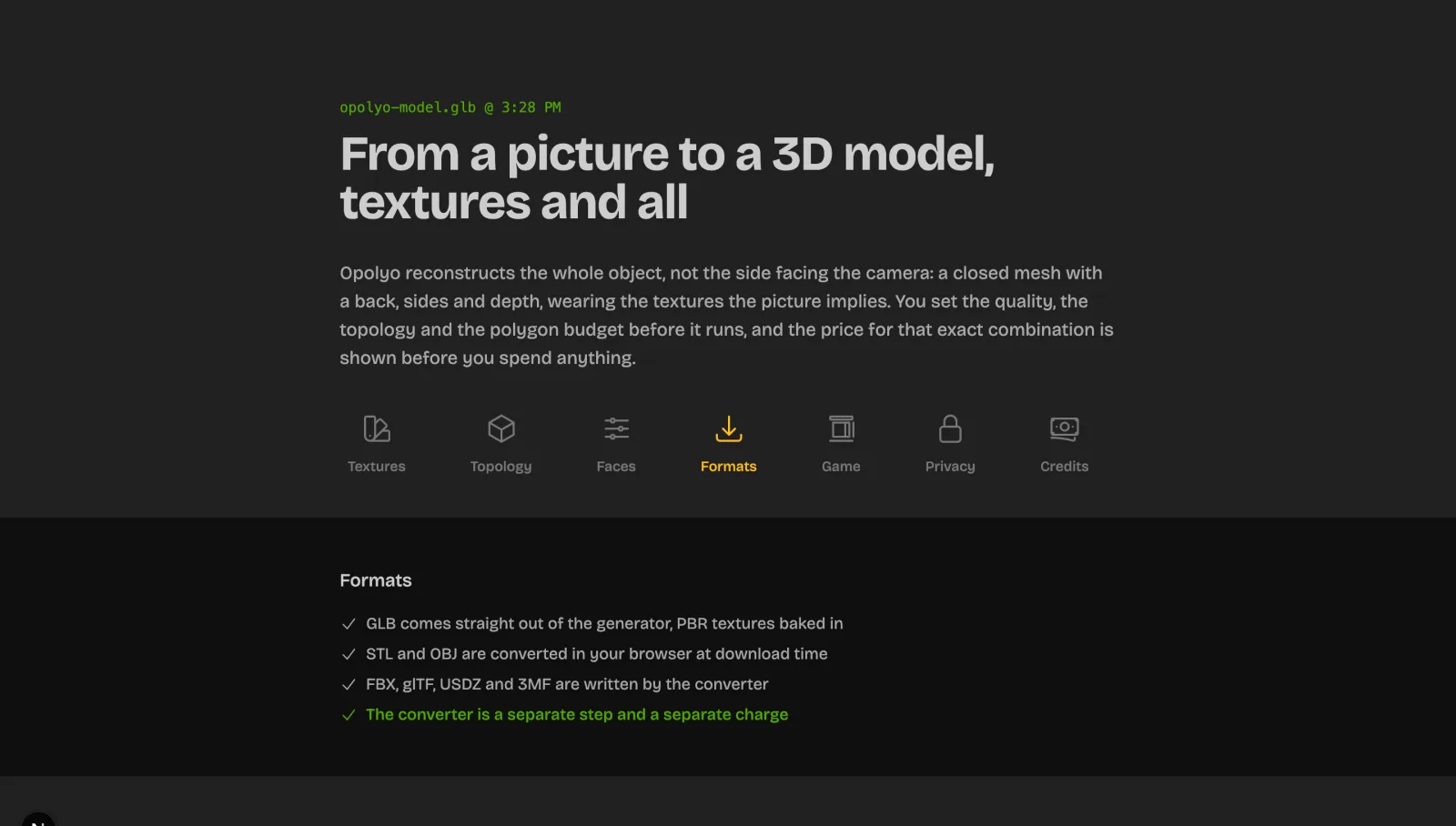
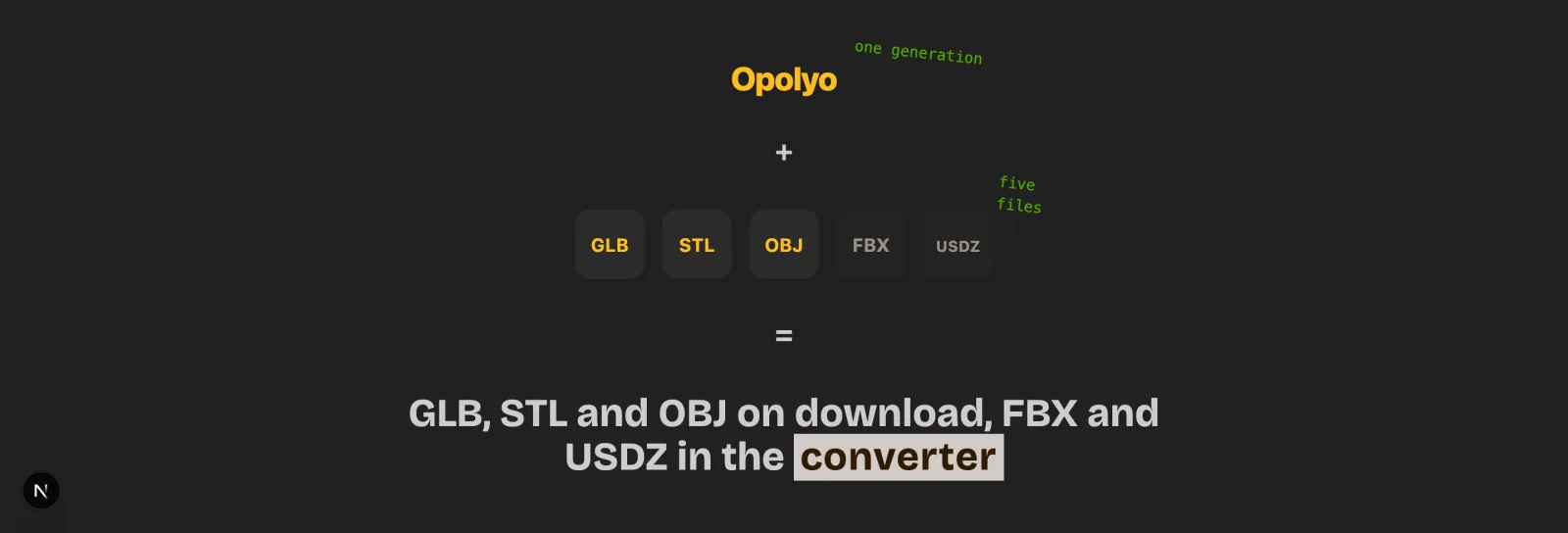
The result is a closed mesh with textures. Triangle topology returns GLB, and browser-side exports create STL or OBJ from that triangle GLB. Quad topology returns FBX. The back and sides are inferred from the one view, which makes a full rotation and a destination check part of the workflow.
Before generating, choose Standard, Ultra or Max texture quality, triangle or quad topology, and a face budget from 500 to 2,000,000. The settings cover a print path, a textured asset path and a more editable quad path without making you assemble a pipeline first.
Opolyo also has a text to 3D route. The same product includes browser converters for GLB to STL, OBJ to STL, STL to OBJ and FBX to OBJ, plus a relief image-to-STL converter. Those tools are useful after generation when your destination expects a different file.
What One Model Costs
A generation with Standard textures costs 10 credits for either the image route or the text route. Ultra or Max textures and quad topology cost more. The polygon budget does not change the price, and the exact credit figure appears on the button before you generate.
Plans start at $19.99 per month with Start and 160 credits, and a $39.99 one-time pack exists. A failed generation refunds its credits. Every paid plan includes a commercial licence for generated models.
The generation usually takes under three minutes. Use that time to decide the destination and the settings. A high face budget chosen by habit is the common mistake. A compact triangle result can be easier to inspect and slice than a larger file that carries detail your final use does not need.
Where Opolyo Falls Short
The image route accepts one image per generation. It has no multi-view input, so a hidden back or an exact rear mechanism still depends on inference from the chosen view. Use a three-quarter reference when it reveals more of the object, then inspect the result and edit it when the hidden details matter.
Opolyo does not provide rigging or animation. It generates geometry and texture, then leaves character setup and motion work to your next tool. It also does not texture meshes you bring from elsewhere, so imported geometry needs a separate texturing workflow.
There is no local or open-weights option. You use the hosted generation route and its credit system. That keeps the path short for a browser job, while Hunyuan 3D and Trellis are the better choices when you need to operate the model on your own GPU.
Run your photo through the first pick
One image in, a textured closed mesh out in about three minutes, with STL export in the browser.
2. Meshy: AI 3D Model Texture Generator and Plugins
Meshy is the broad second choice in this ranking. Its documented workflow covers text and image generation, AI texturing for imported meshes, low poly work, rigging, animation, an agent and many integrations. That range matters when the first mesh is only one stage in a character or game asset process.
Meshy's public plugin list includes Blender, Unity, Unreal Engine, Bambu Studio, Creality Print, OrcaSlicer, Maya and Godot. Its automatic rigging supports humanoid and quadruped characters, and the product documents more than 600 motion presets. These features make Meshy a strong place to continue after a model has been generated.
The Pro plan is listed at $20 per month with monthly billing and 1,000 monthly credits. The starter plan is listed with 100 monthly credits and a CC BY 4.0 licence for its outputs. Monthly credits reset, so count the accepted assets you expect to make. The credit total is not a finished model count.
The limitation is breadth. A wide toolset can add decisions and credit use when you only need one photo converted into a file. Its starter outputs also carry attribution terms, and you still need to inspect the downloaded geometry and inferred surfaces before a print or game import.
3. Tripo AI
Tripo AI is a strong choice when the generated object needs preparation for a game or print workflow. Its product pages cover text and image generation, high-detail meshes, smart quad meshes, segmentation, printing and common game exports. The workflow reaches into editing and preparation after the first shape appears.
Tripo describes high-detail meshes up to two million polygons. Smart Mesh covers native quad meshes from 500 to 25,000 polygons. Its game path lists GLB, FBX, OBJ and USD, and its print path lists STL, 3MF and OBJ with automatic splitting for large models.
The named tiers include a starter tier, Pro, Max and Team. The starter tier is described with 200 monthly credits, while multi-view input, Smart Mesh and segmentation sit on paid tooling. The pricing interface switches between monthly and annual displays, so read the payable monthly figure inside the account before choosing a plan.
The limitation is that its strongest preparation features create more settings to evaluate. A simple one-photo job may not need segmentation, Smart Mesh or multi-view. Pick those controls when they solve a real downstream problem, then compare the downloaded mesh in the same destination as your other candidates.
4. Hunyuan 3D: Open Weights You Can Run
Hunyuan 3D has two paths worth separating. The hosted engine accepts text, images and sketches, and its launch material documents up to four images for multi-view generation, smart topology and OBJ or GLB output. Tencent also presents a cloud API with credit packs and usage billing.
The local path uses the public Hunyuan3D 2.1 release. Its repository documents separate shape and PBR texture pipelines, along with the installation and hardware needed to run them. You get more control over the environment and files, while you take on setup, model versions, storage and GPU planning.
Tencent announced 20 hosted generations daily for global users. That allowance belongs to the hosted service and is not the same as the local model. The hosted 3.0 surface and the downloadable 2.1 release should be treated as different workflows when you compare outputs and licence notes.
The limitation is operational cost on the local route. The repository lists 10 GB of VRAM for shape, 21 GB for texture and 29 GB for both. If you want a short browser path, choose the hosted route or another service. If local operation is the main requirement, plan the environment before you judge generation quality.
5. Rodin by Hyper3D
Rodin by Hyper3D focuses on controllable asset generation. Its homepage accepts text and images and says one image is enough for most objects. You can add optional extra views when the asset needs more visual information or you want tighter control over the shape.
Creator is listed at $30 with monthly billing. It documents multi-image to 3D, Smart Low-Poly, HD and custom textures, baked normals and more polygon choices. A preview path lets you generate before confirmation and pay by result with direct credits.
Business is listed at $120 with monthly billing and adds the full API, high-resolution textures and high-poly quads. That makes Rodin relevant to a production API or a controlled multi-image workflow. It sits above the entry plan of the tools aimed at occasional one-photo work.
The limitation is price and emphasis. The useful Creator controls start above the entry prices of Opolyo, Meshy and Sloyd. Rigging and animation are less central in its documented workflow than in Meshy's or Sloyd's, so choose it for shape, texture and reference control. A complete character pipeline lives elsewhere.
6. Hi3D (Hitem3D)
Hitem3D now presents itself as Hi3D, an all-in-one maker platform. Its product pages centre image to 3D, portrait reconstruction, fine detail, PBR texturing, reliefs and tools aimed at physical output. That focus gives it a clear place in a print-oriented shortlist.
The print workflow documents automatic character splitting with connectors, multi-colour segmentation, direct sending to Bambu Studio and OrcaSlicer, and exports in FBX, GLB, OBJ, STL and USDZ. You can keep the generation and the physical preparation close together when the model will be assembled.
The plan comparison lists a starter tier with 100 lifetime credits and limited feature trials. Multi-view access, retry allowances and private commercial use are listed with paid plans. The paid prices vary with the displayed plan and promotion, so the chart points to the pricing page and shows no monthly bar.
The limitation is workflow focus. Hi3D is a strong candidate for portraits, reliefs, print splitting and physical detail, while a game character that needs plugins, animation and repeated low poly iteration may fit Meshy, Tripo or Sloyd better. Confirm the current plan terms before a commercial project.
7. 3D AI Studio
3D AI Studio is an aggregator and production toolkit. Its homepage says one account can switch among Prism engines and third-party engines including Meshy, Tripo, Rodin, Hunyuan, Hitem3D and Trellis. That makes model selection part of the daily workflow, not only a decision before signing up.
The supporting tools cover image and text generation, image editing, AI texturing, quad remeshing, level-of-detail creation and a node-based Flow canvas. Exports include FBX, GLB, OBJ, STL, 3MF, USDZ and BLEND. Its API covers generation, texturing, remeshing and conversion endpoints.
Basic is shown at $12 per month when billed annually with 1,000 monthly credits. Studio is shown at $23 per month when billed annually and includes multi-image generation. Those annual figures are not monthly list prices, so the chart leaves the tool without a bar.
The limitation is result predictability across engines. The output depends on the selected model and settings, and credit use can change with the route. Record the engine, input, settings and accepted result for a fair comparison. Choose this tool when engine switching and supporting utilities justify that extra layer.
8. Sloyd: Game-Ready Low Poly
Sloyd combines AI generation with customisable parametric templates. You can start from text, an image or a controlled template, then adjust the shape. The template route is useful for repeated low poly props that need deliberate variation across a set.
Guest access includes one AI 3D generation each day for personal use, community model downloads, template customisation and GLB or OBJ exports. Plus is listed at $15 with monthly billing and includes standard text and image generation under its stated plan terms.
Plus also documents rigging, animation, 4K texture editing, multi-image generation through monthly credits, split-to-parts and plugins for Unity, Unreal and Blender. Pro is listed at $50 monthly and raises credits, parallel work, art styles, queue priority and support.
The limitation is its strongest fit. Sloyd is most useful when template control, low poly variation, plugins, rigging or animation sit in the same job. A one-photo product conversion may be quicker in Opolyo, while a high-detail reference with optional views may fit Rodin or Tripo more closely.
9. Trellis: Image to 3D on Your Own GPU
Trellis is the local open-weights choice in this ranking. The Microsoft repository provides image-conditioned and text-conditioned models and a pipeline that can turn a structured representation into a mesh, a 3D Gaussian or a radiance field. The image-conditioned route is recommended for better performance in the repository guidance.
The example converts a mesh and Gaussian result into a textured GLB and saves Gaussians as PLY. Multi-image conditioning is available through a tuning method. That gives you an unusual range of representations when a standard browser asset is not the only output you need.
The official prerequisites specify Linux, an NVIDIA GPU with at least 16 GB of memory, Python 3.8 or newer, CUDA and compiled dependencies. You install the repository, model files and environment on your own machine. The result is a direct local pipeline with no hosted monthly plan.
The limitation is setup and hardware. Trellis is a poor fit when you want to upload one image and download a model with no environment work. It is a strong fit when you can maintain Linux and CUDA, need local files, and want to experiment with the published pipeline and its representations.
Best AI 3D Model Generator by Job
Choose from the destination backwards. A print needs a closed mesh and a slicer check. A game asset needs topology, textures, and often rigging. A product photo needs visible identity and an export you can inspect from the camera angles that matter.
A search for generate 3D model from photos usually means one image, not a scan of a complete object. Keep that distinction in mind when you choose a single-image tool. A one-view result can be useful and quick, while exact hidden surfaces require extra editing or a supported multi-view workflow.
First pick and runner-up for each job
The four choices below make the ranking concrete. Each first pick solves the stated job with the fewest workflow changes, and each runner-up wins when its particular controls matter more.
3D printing from one photo
Opolyo turns one image into a textured closed mesh with a browser STL export, while Hi3D adds print splitting and slicer handoff.
- One image starts the Opolyo generation
- Triangle GLB can become STL or OBJ in the browser
- Hi3D documents splitting, connectors and printer handoff
- The hidden back is inferred from one view
- Hi3D paid pricing needs a current account check
Best for: Opolyo first, Hi3D runner-up
Game assets and characters
Tripo leads when segmentation, Smart Mesh and multi-view input matter, with Meshy close behind for rigging and animation.
- Tripo documents Smart Mesh and game exports
- Tripo documents segmentation and multi-view input
- Meshy documents automatic rigging, motion presets and plugins
- Tripo advanced features sit on paid tooling
- Meshy monthly credits reset
Best for: Tripo first, Meshy runner-up
A product photo to a textured model
Opolyo has a focused one-image path, while Rodin adds optional views and more controlled high-detail plans.
- Opolyo accepts a JPG, PNG or WEBP up to 10 MB
- Opolyo exposes texture tier, topology and face budget
- Rodin supports one image with optional additional views
- A single image cannot show every surface
- Rodin Creator starts at $30 per month
Best for: Opolyo first, Rodin runner-up
A text prompt
Meshy has a broad text generation workflow, while Opolyo provides a text route alongside its focused image workflow.
- Meshy covers text generation and texturing
- Meshy connects to plugins and animation tools
- Opolyo uses the same clear credit route for text generation
- Text leaves more shape decisions to the model
- Opolyo does not provide rigging or animation
Best for: Meshy first, Opolyo runner-up
Our take
Start with Opolyo when your source is one photo and your destination is a printable or textured model. The route is focused, the settings are visible before generation, and the output has a clear path into a slicer or 3D application.
Move to Tripo for segmentation or multi-view, Meshy for character production, Rodin for controlled high-detail references, Hi3D for print splitting, and Hunyuan 3D or Trellis when local open weights are the deciding factor.
For 3D Printing
For 3D printing, the winner is the file that survives slicing at the intended size. Opolyo gives you a one-photo route to a closed triangle mesh and browser STL export. Hi3D adds automatic splitting, connectors and slicer handoff, while Tripo documents STL, 3MF and OBJ with automatic splitting for large models.
Meshy is also a strong printing option. Its public workflow documents watertight and manifold output, printability checks, automatic repair, multi-colour splitting and direct slicer integrations. Those tools are useful when your print workflow already lives inside its plugin catalogue.
Open the export in your slicer every time. Set the physical size, inspect the base and layer preview, and look for thin parts, floating shells, gaps and support problems. A generator can produce a useful closed mesh, but the slicer decides whether the chosen orientation and material can make it.
For Game Assets and Characters
Tripo and Sloyd deserve the first look when low poly control is central. Tripo documents Smart Mesh with native quads from 500 to 25,000 polygons. Sloyd joins AI generation with customisable templates, plugins, rigging and animation on its paid plans.
Meshy remains strong for a character that needs to move. Its documented low poly mode, polygon controls, automatic rigging, motion presets and engine plugins keep several stages close together. Rodin is useful when the priority is controlled high-detail geometry and texture, with optional extra views.
Judge a game asset in the engine where it will run. Inspect material count, texture maps, deformation, collision and runtime face cost. A clean browser preview answers the shape question, but it does not answer whether the character imports cleanly or animates well.
For a Product Photo
Opolyo is the first choice for a product photo because the one-image path is direct. Upload one image, choose the texture tier, topology and face budget, then download the file that matches your use. A three-quarter view often supplies more useful depth evidence than a flat front image.
Rodin also documents that one image works for most objects and lets you add extra views when the shape needs more control. 3D AI Studio can let you compare engines, while Tripo provides a multi-view path when one photo does not describe the important surfaces.
A single image does not measure the hidden rear or underside. Use a complete silhouette, even light and a plain background. If a port, label, hinge or back mechanism must be exact, edit the output against another reference or choose a tool that supports the needed views.
For a Text Prompt
Meshy is the first choice for a text prompt in this list because its documented workflow places text generation beside texturing, plugins, rigging and animation. That gives a concept model a path toward a game asset or a character workflow.
Opolyo is the runner-up when you want to try text generation through the same focused product that handles one-image work. It can return the model route you need, though you should plan to take the resulting geometry into another tool when rigging, animation or imported-mesh texturing becomes necessary.
Write a prompt that names the object, the silhouette, the important proportions and the intended style. Then judge the file, not only the render. A text prompt can produce a compelling idea that needs cleanup before printing, animation or a production scene.
Test two tools on the same photo
Start with Opolyo and keep the settings noted: texture tier, topology, face budget. Compare the exported files in your slicer or engine.
How to Generate 3D Models With AI
The fastest route is still a controlled route. Decide the destination first, prepare an input that shows the subject clearly, set the geometry and texture options, inspect the hidden surfaces, and export into the tool that will judge the asset. The same sequence works across a hosted generator and a local pipeline, even though the buttons and settings differ.
Five steps that apply to every generator
Decide the job and the file you need
Choose STL for a print, or GLB or FBX for an engine and textured asset workflow. The destination tells you which topology, texture and export choices matter.
Prepare the input
Use one clean image on a plain background, or write a specific prompt with the subject, shape and style. Keep the whole silhouette visible when the route uses one image.
Set topology, face budget and texture tier before generating
Choose triangle or quad topology when the tool exposes it. Set a face budget and texture tier that match the destination, and note the credit or hardware cost before you start.
Preview the whole mesh, including the inferred back
Rotate the model through a full view. Inspect the base, back, sides, thin parts, holes, materials and scale before you treat the preview as an accepted asset.
Export the right format and check it in the slicer or engine
Download the format your destination expects. Open it in the slicer or engine, confirm dimensions, materials, normals and topology, then make a small test before a larger job.
Compare plans before you commit
Plans start at $19.99 per month with 160 credits, and a one-time pack exists for an occasional model.
Best AI 3D Model Generator FAQ
Opolyo is the first pick for one photo to a printable or textured model. Meshy is stronger for texturing, rigging and plugins, Tripo for segmentation and multi-view game assets, and Hunyuan 3D or Trellis for local open weights.
Yes. A dedicated generator can take an image or text prompt and return a mesh with textures. Check the topology, hidden surfaces, scale, licence and destination file before using the result in a print or production scene.
ChatGPT can write OpenSCAD or Python code for a modeling tool, and it can help describe or revise a model. The chat response does not itself return a finished mesh in the same way as an image to 3D or text to 3D generator.
Gemini can help plan a model and write code that a modeling application turns into geometry. Use a dedicated 3D generator when you need an image or prompt converted into a downloadable mesh through a single asset workflow.
Meshy documents text to 3D and is the first choice here for text prompts. Opolyo also has a text route, while Hunyuan 3D and Trellis document text-conditioned paths in their hosted or local workflows.
Opolyo is the first pick for one photo because it returns a closed textured mesh and provides browser STL export from the triangle GLB. Hi3D is a strong runner-up when automatic splitting, connectors and slicer handoff matter.
Hunyuan3D 2.1 publishes open model code and weights, and Microsoft TRELLIS publishes code and pretrained models. Their repositories require you to plan the operating system, GPU, dependencies, model files and applicable licence.
Yes. Meshy documents AI texturing for imported meshes, and Hunyuan3D 2.1 documents an image-guided PBR texture pipeline. Opolyo creates textures with its generated model and does not texture meshes brought from elsewhere.
Opolyo starts at $19.99 per month with 160 credits, and its one-time credit pack costs $39.99. Meshy lists Pro at $20 per month, Rodin Creator at $30 per month, and Sloyd Plus at $15 per month; other tools use annual pricing, usage billing or open weights.
A render alone cannot establish how a model was made. Inspect topology, repeated surface artifacts, unusual thin parts, texture seams, hidden surfaces and the project records that identify the input and generator.
You need to follow the licence for the plan and generator that produced the asset, along with rights in the input material. Every Opolyo paid plan includes a commercial licence for generated models, while other tools can attach different terms to starter and paid outputs.
Meshy documents a Blender plugin, and Sloyd documents plugins for Blender, Unity and Unreal. 3D AI Studio also offers a broader toolkit and exports, while Opolyo has no Blender plugin and relies on standard files and browser converters.
Opolyo needs one image per image-to-3D generation, and that image can be a JPG, PNG or WEBP up to 10 MB. Other tools document optional or paid multi-view workflows, so use more views when the hidden shape matters and the selected tool supports them.
Sources and References
- Tencent Hunyuan3D-2 repository (accessed 2026-09-14)
- Microsoft TRELLIS repository (accessed 2026-09-14)
- Khronos Group, glTF overview (accessed 2026-09-14)
- STL (file format), Wikipedia (accessed 2026-09-14)
Compare the tools on one photo
Editorial, Opolyo
We build Opolyo and we run everything we write about here, on the same plans and the same credits as everyone else.
Run your own photo through the first pick
Upload one clear photo, choose the texture and topology, then inspect the complete model before you download it.